The Ticket Pia signup form is a long page of Japanese, and two of the fields can never be edited again once you hit submit. People come to us after registering with the wrong name or katakana. Fixing the account, when a fix is possible at all, takes much longer than getting those fields right the first time.
So we published the part of our customer guide that keeps that from happening. We are a Taiwan-based team that enters Japanese ticket lotteries and buys tickets for fans who live abroad, and this is the form we fill in most often.
What Ticket Pia is, and why you need an account
Ticket Pia (t.pia.jp) is one of Japan's oldest ticketing platforms. Most large Japanese concerts are not sold first come, first served. They run a ticket lottery, called chusen, where you apply during an entry window and pay only if your entry is selected. Pia runs a lot of those rounds, including fan club presale lotteries, so an account is the entry ticket to the entry ticket.
Open the new member registration page at t.pia.jp and work down the form in this order.
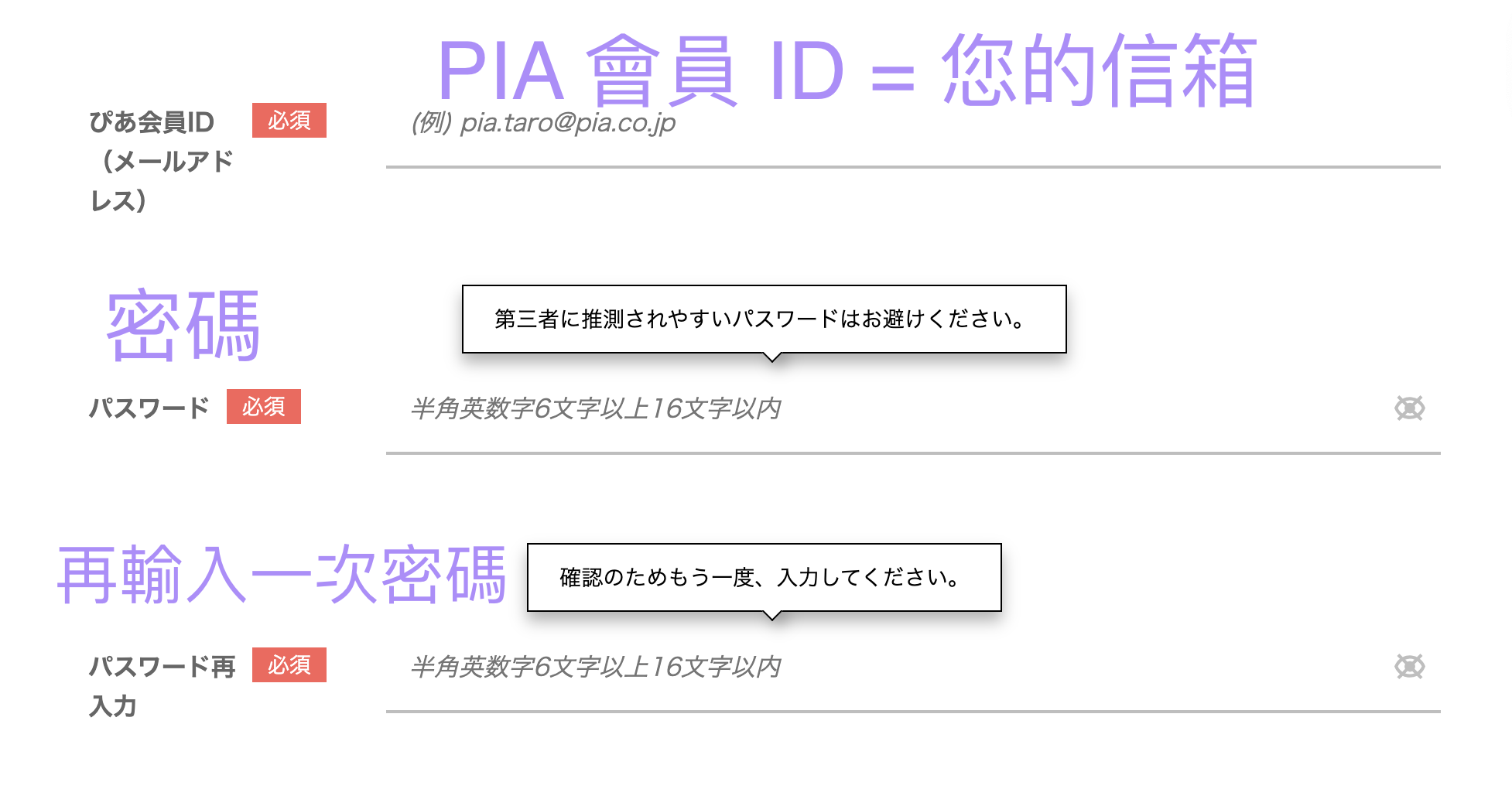
Member ID and password
The first box, ぴあ会員ID(メールアドレス), is your email address. It is what you sign in with from then on, so use an inbox you actually read.
Ignore the Google and X sign-in buttons above it. Start from the Pia ID field.
The password (パスワード) must be 6 to 16 half-width letters and numbers. The box below it, パスワード再入力, is the same password again.
Name and katakana: the part people get wrong
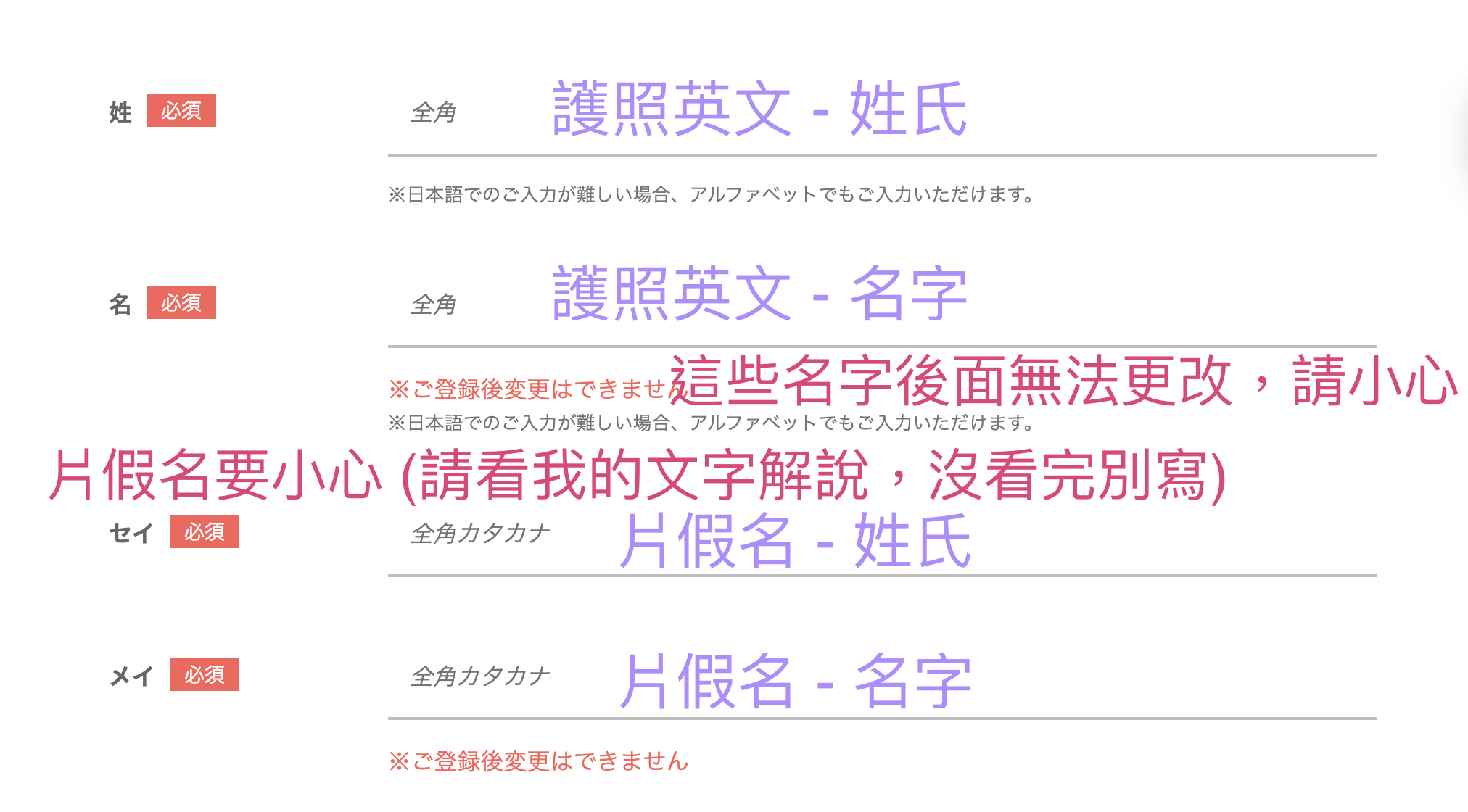
In 姓 (surname) and 名 (given name), type the romanized name from your passport. The fields are labeled full-width, but a note under the form says you can use letters when Japanese input is not available.
Drop punctuation from the given name. A passport reading WANG DA-MIN becomes WANG in the surname box and DAMIN in the given name box.
セイ and メイ are the same two names written in katakana. Convert the pronunciation of your romanized name into katakana. Online name-to-katakana converters work, and so does asking an AI assistant to do the conversion. セイ is the surname, メイ is the given name, and both take full-width katakana.
The name cannot be changed after registration. The page says so in red: ご登録後変更はできません.
Pia auto-fills a katakana reading once you type your name. If you already have an official fan club (FC) account registered with a particular katakana spelling, overwrite Pia's guess with that exact spelling. The goal is for the name and katakana on your FC account and your Pia account to match, because some lotteries require it.
Gender and birthday
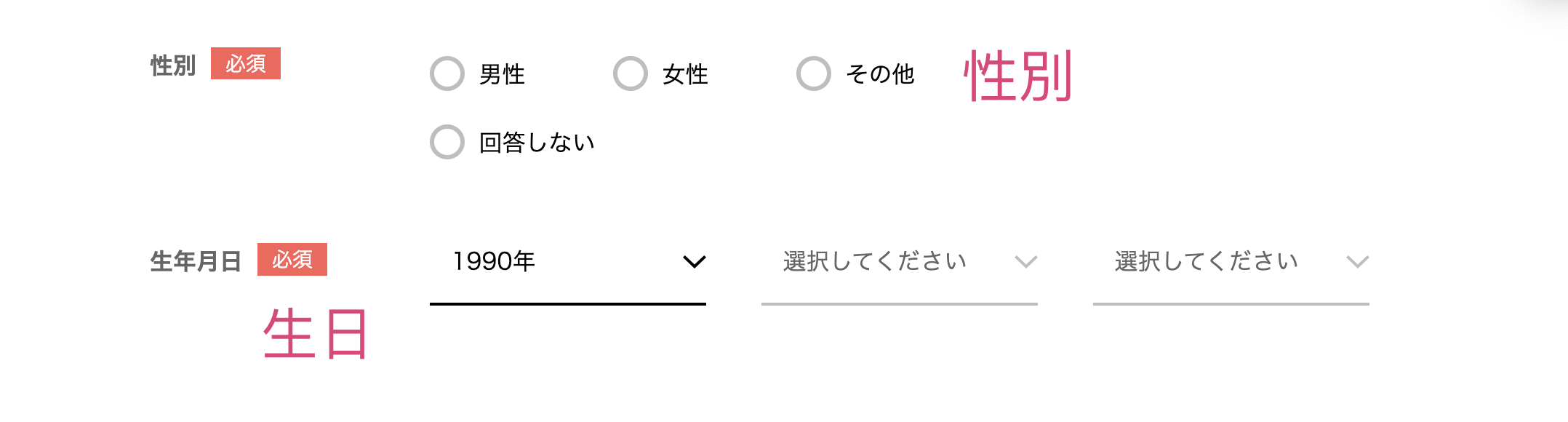
The gender options run left to right: male, female, other, prefer not to say. Then fill in your date of birth.
Phone number
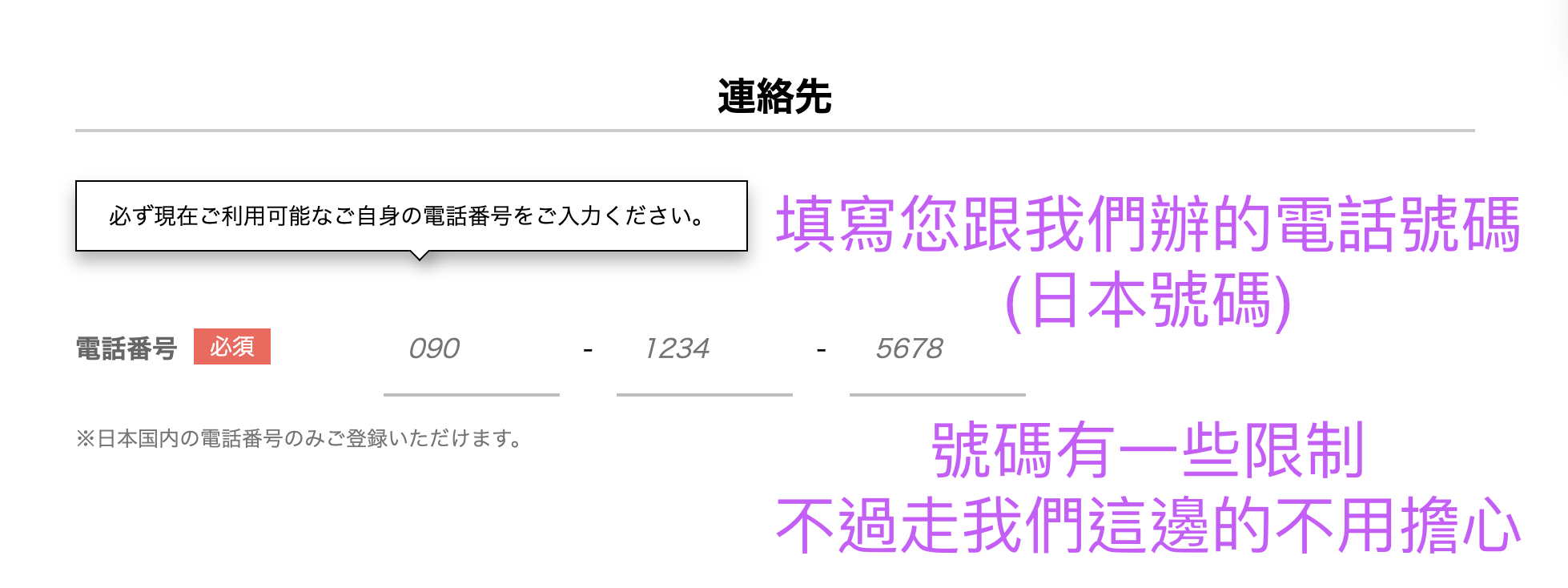
電話番号 accepts Japanese domestic numbers only. If you arranged a Japanese line through us, this is where that number goes.
The form may accept a number that later fails the call check. Many VoIP numbers no longer pass, so use a Japanese mobile line that can place voice calls. Whatever you type here has to be the same line you will later use to place the verification call, so pick it carefully. We cover that check in Ticket Pia phone verification.
Email preferences
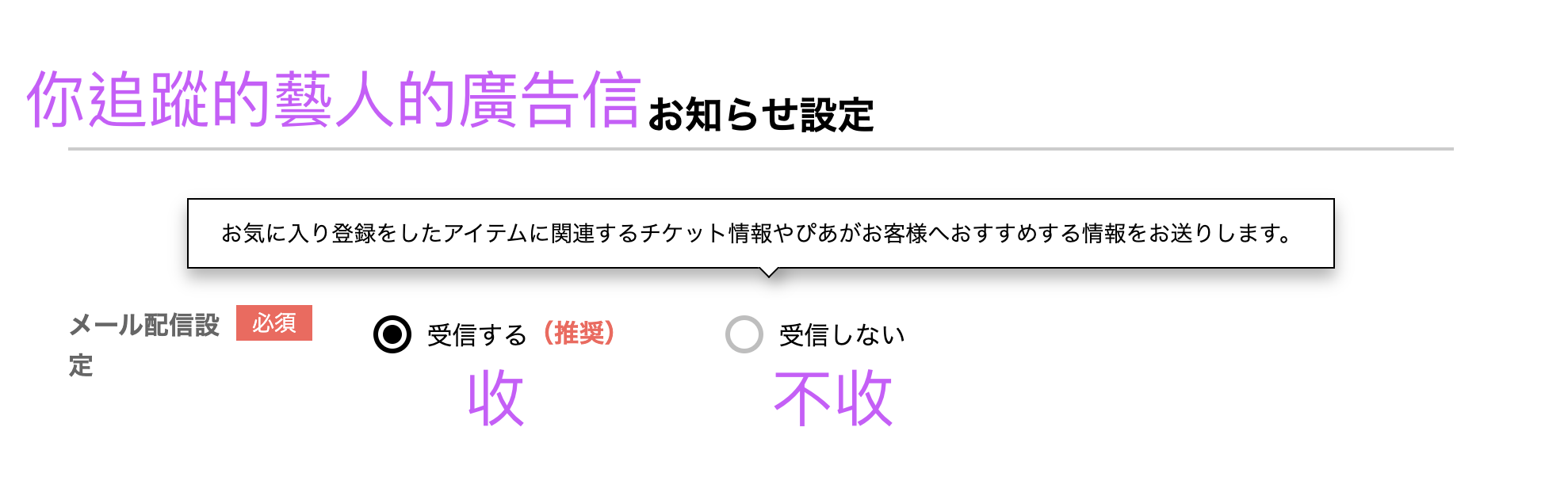
メール配信設定 controls Pia's notification emails: ticket news for artists and titles you follow, plus events Pia recommends.
受信する means yes, 受信しない means no. Pia marks the first as recommended, but neither choice affects your registration.
Agree to the terms and submit
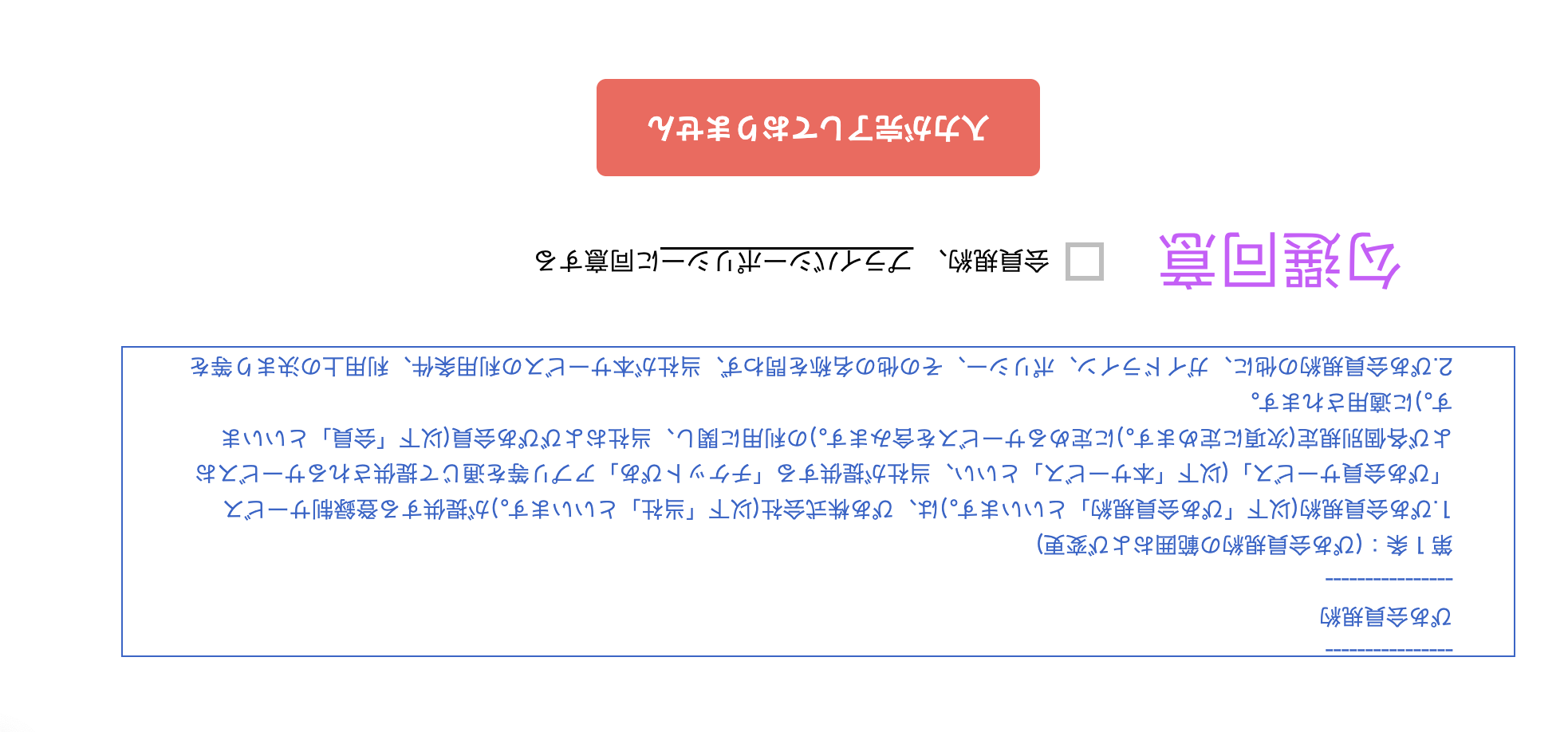
Tick 会員規約、プライバシーポリシーに同意する at the bottom.
If the red button reads 入力が完了しておりません, that means a required field is still empty. The page is not broken. Fill in the gaps and the button turns clickable.
What happens after you submit
Pia emails you a verification link, and phone verification comes next. That link is short-lived and the call has rules of its own, so read Ticket Pia phone verification before you start. Our customers get a step-by-step sequence from us so the call goes through on the first try.
The same Japanese line also clears eplus and Lawson Ticket, which run similar checks. We wrote up the Lawson side in our Lawson Ticket app guide.
FAQ
Can I register for Ticket Pia with my home country phone number?
No. The 電話番号 field accepts Japanese domestic numbers only. Pia also restricts which types of Japanese numbers pass, and many VoIP numbers no longer clear its verification. You need a Japanese line that can place calls.
Can I change my name on Ticket Pia after registering?
No. The signup page marks the name fields in red with ご登録後変更はできません, meaning they cannot be changed once registered. Read your entry twice before you submit.
What do I put in the セイ and メイ fields on the Ticket Pia form?
The katakana reading of your passport name. セイ is your surname and メイ is your given name, both in full-width katakana. Pia auto-fills a katakana version after you type your name, but if you already have an official fan club account, overwrite it so both accounts match. Some lotteries require the names to be identical.
How do I write my passport name in the Ticket Pia name fields?
Use the romanized surname and given name from your passport. The fields are labeled full-width, but a note under the form says you may type letters if Japanese input is not available. Drop hyphens and spaces from the given name, so WANG DA-MIN becomes WANG for the surname and DAMIN for the given name.
The Ticket Pia submit button says 入力が完了しておりません and will not work.
That message means required fields are still empty, not that the page is broken. Fill in everything and tick the terms checkbox, and the button becomes clickable.
Pia has changed its interface and verification rules repeatedly over the past two years. The live pages at t.pia.jp take precedence over the screenshots here.
Need a Japanese number that clears verification, or someone to walk the form with you?
We set up Japanese ticketing accounts and enter lotteries for fans who live overseas.
Our Instagram posts are mostly in Chinese. Don't let that stop you: the team lead reads and replies in English. Prefer email? Write to [email protected].